 alkahest
Downloads from anywhere
The Ollama registry, Hugging Face, curated git catalogs, or the GGUF file and folder you already have. Resumable, parallel, verified by digest.
pullsearchimport
Alkahest downloads, runs and serves AI models on your own hardware. One compact binary with an Ollama-style CLI, every common API on one port, and a desktop app to see what runs where.
alkahest pull qwen3:8b && alkahest run qwen3:8b
The mark is a funnel drawn as the alchemical sign for water: models arrive from anywhere through the wide lip, the core holds what is loaded, and one drop leaves through the apex.
No Python environment, no container required. Install a package, and the server, the CLI and the desktop app are there.
The Ollama registry, Hugging Face, curated git catalogs, or the GGUF file and folder you already have. Resumable, parallel, verified by digest.
Models load on the first request and unload after a keep-alive, so idle models cost nothing. Several at once, on GPU, CPU or split between them.
llama.cpp for GGUF, the PrismML fork for ternary Bonsai models, vLLM for safetensors, whisper.cpp for speech, stable-diffusion.cpp for images.
Ollama, OpenAI, Anthropic Messages and a decision API on one port. Existing clients, SDKs and agents work by changing the base URL.
Loopback needs no key; every other machine does. Scoped, expiring keys per model, TLS, usage records and an audit log.
alkahest desktop opens a native app to browse, download, tune and watch models, with a tray icon. It uses the same API as any client.
A dense, instrument-like interface built natively in Rust. Brass marks the one action that matters, verdigris means live.
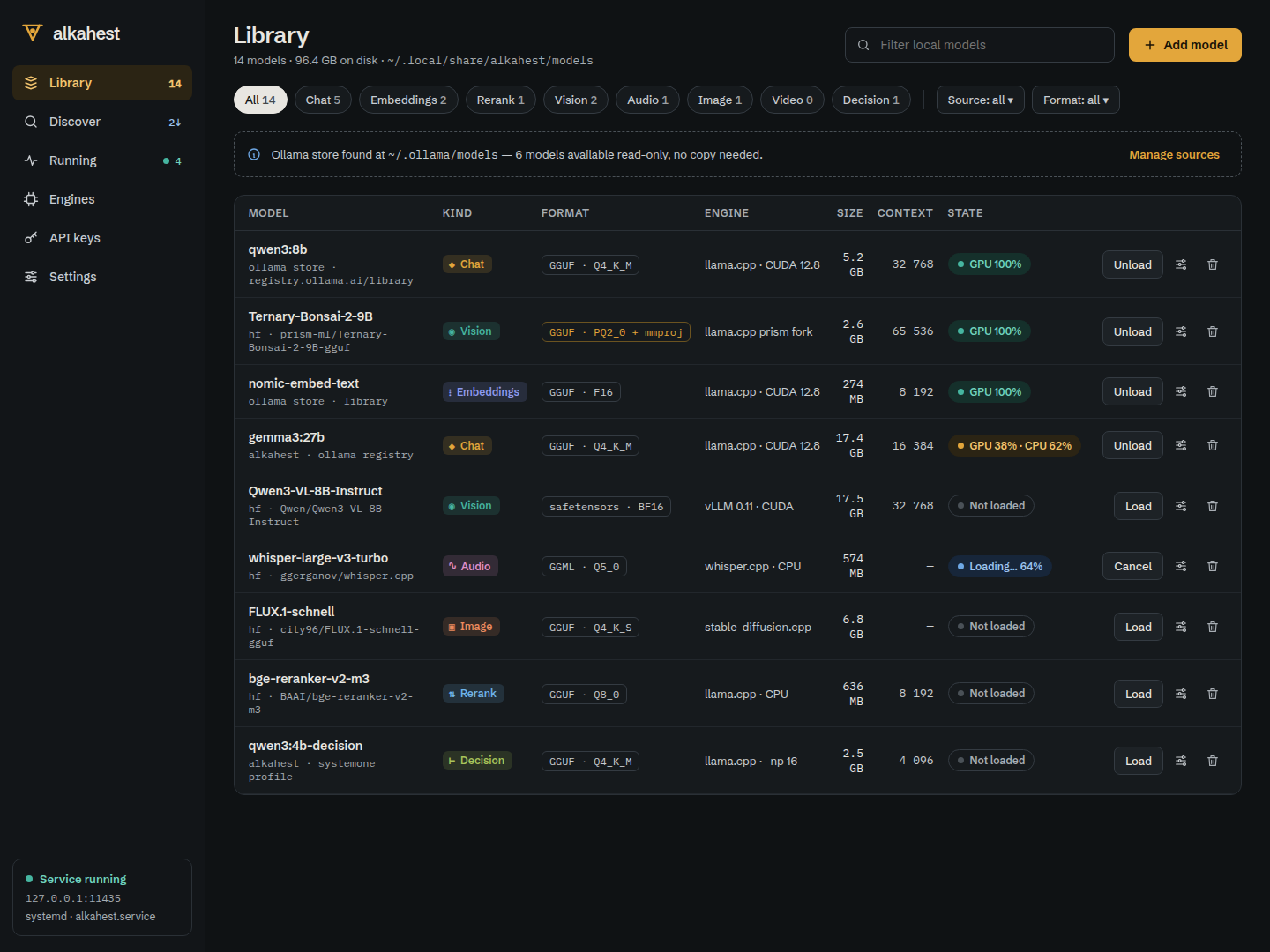
Every local model in one table, including the ones already in your Ollama store.
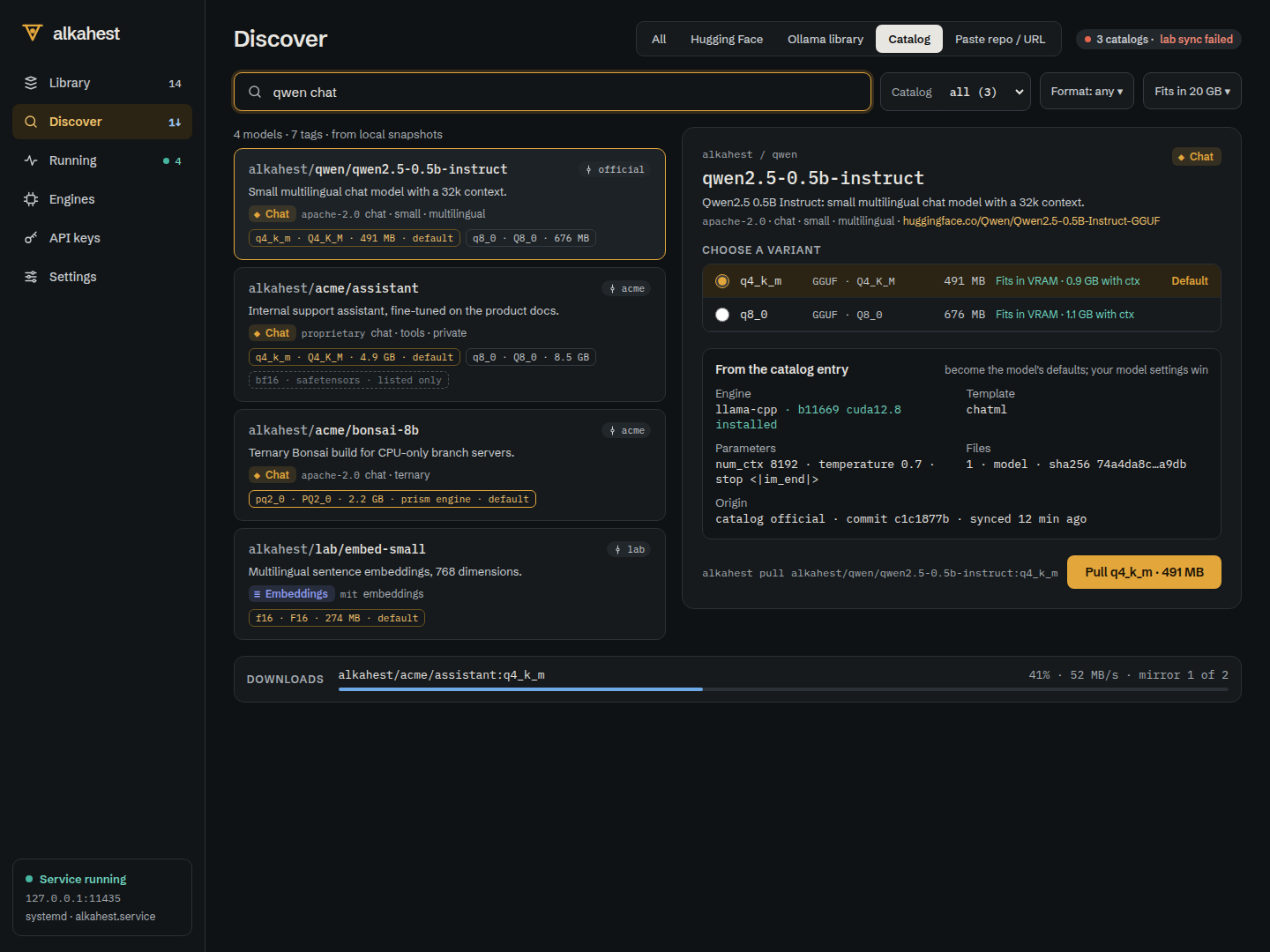
Search Hugging Face, the Ollama library and your git catalogs from one box.
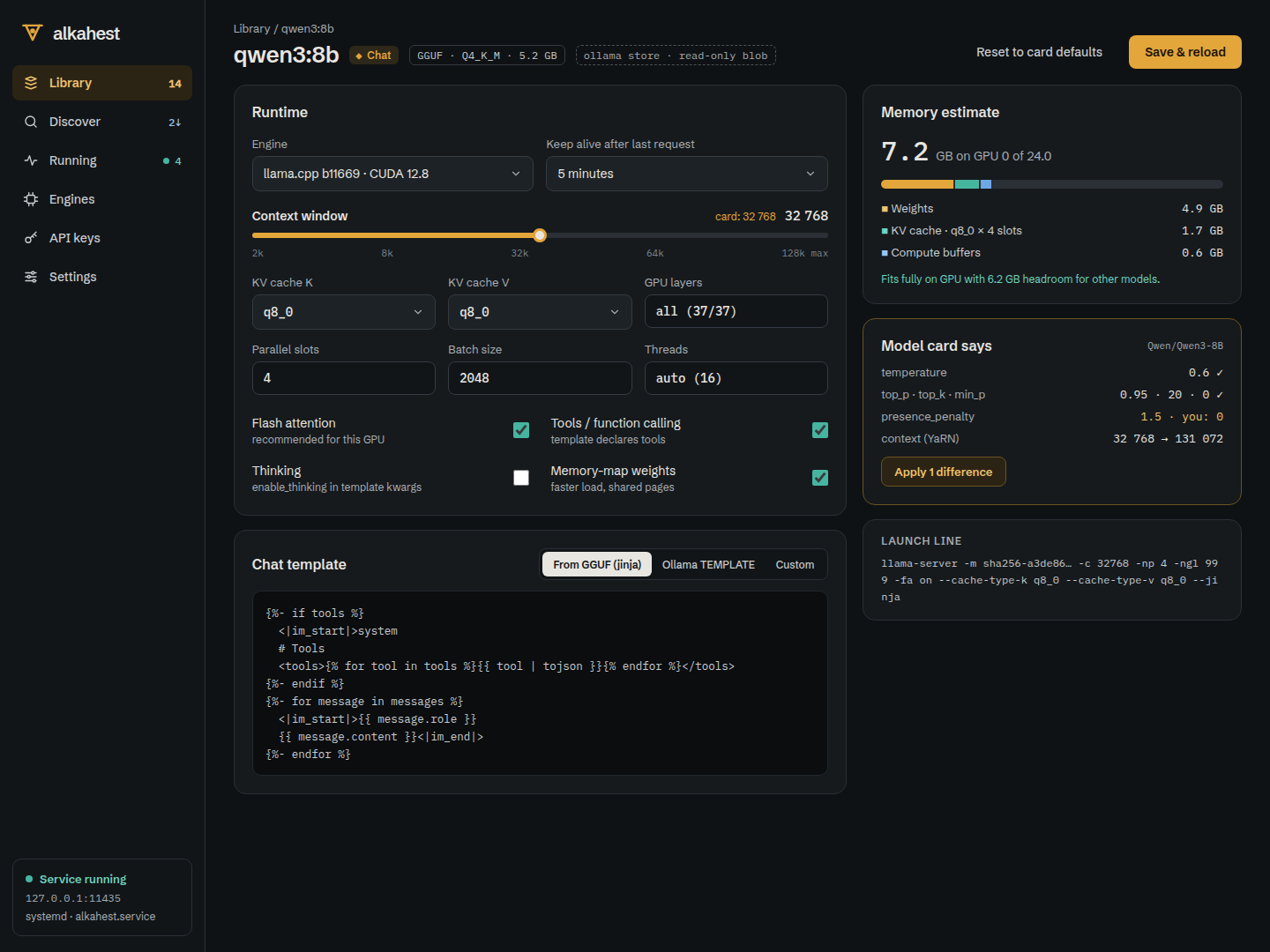
Per-model overrides with a live memory estimate.
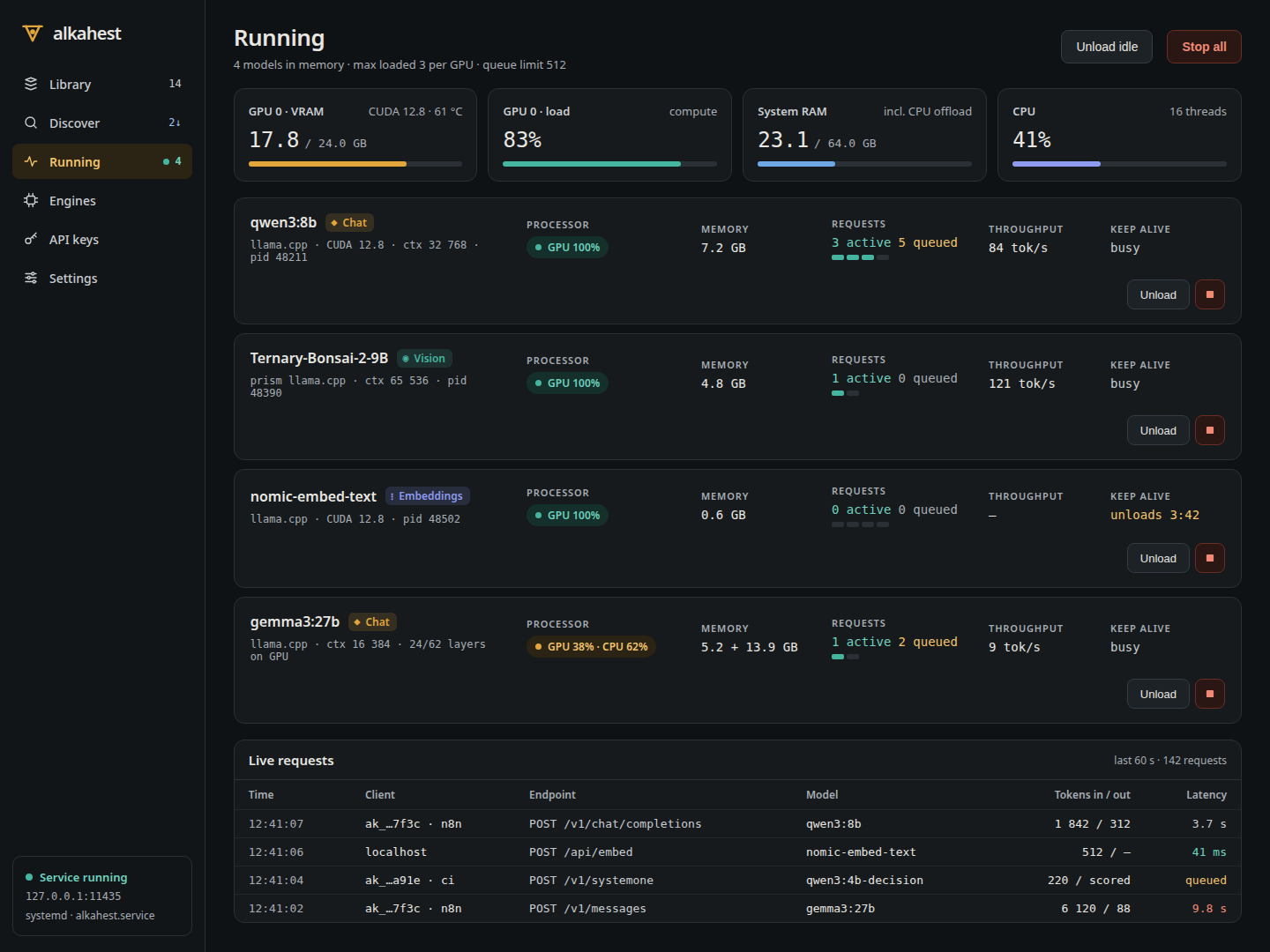
What is loaded right now, and what it uses.
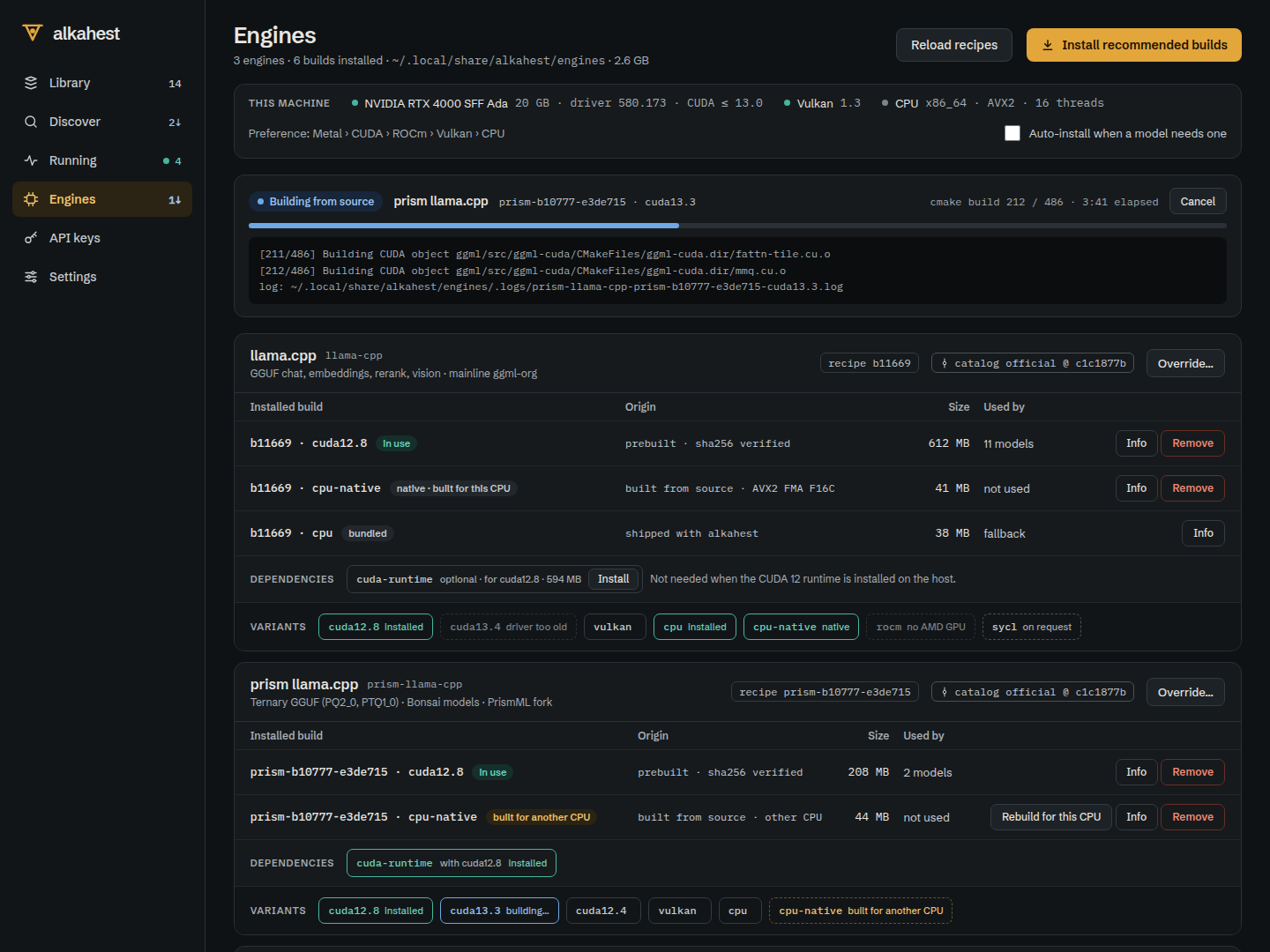
Install the best build of each engine for this machine.
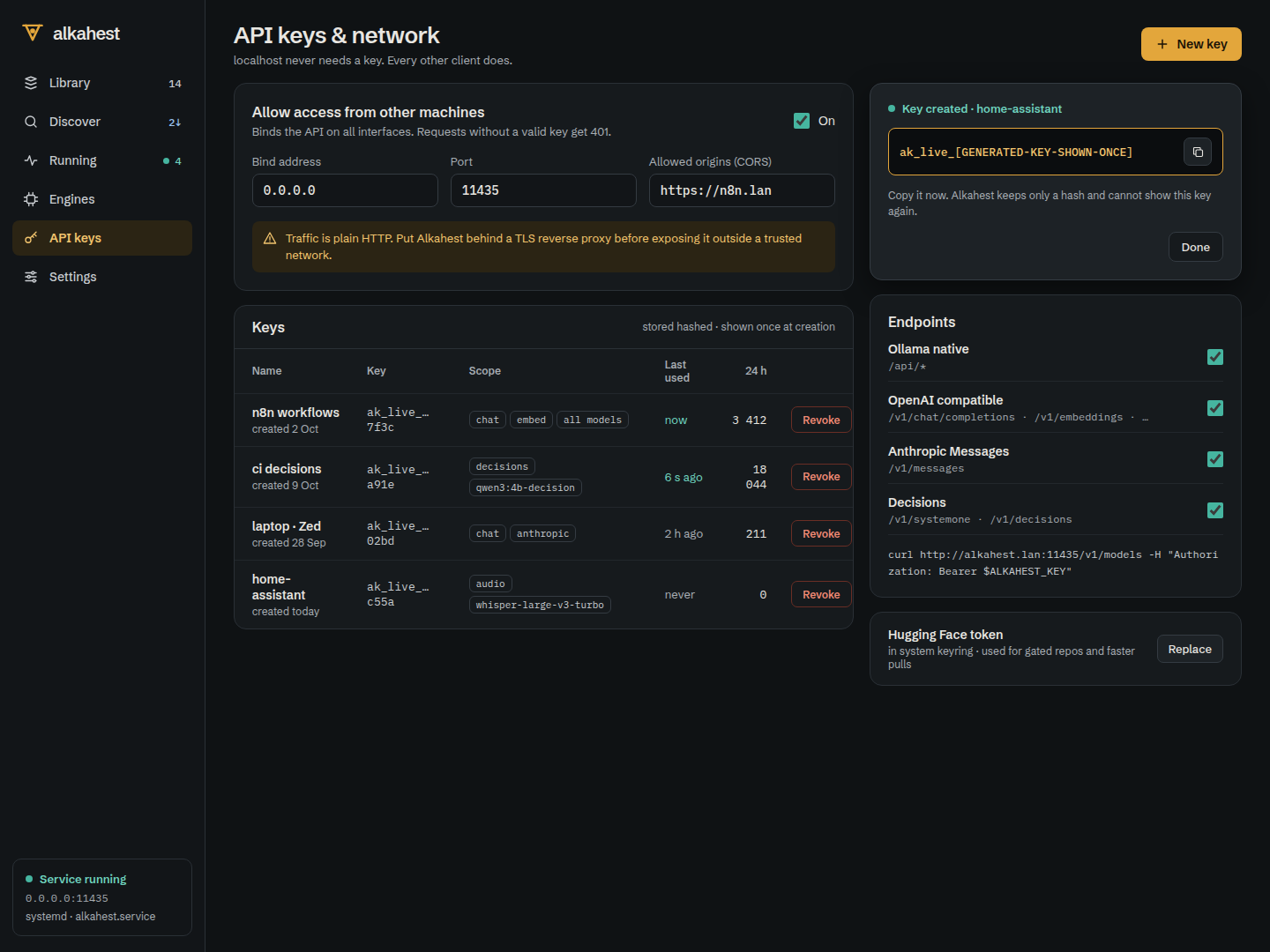
Share the server with other machines safely.
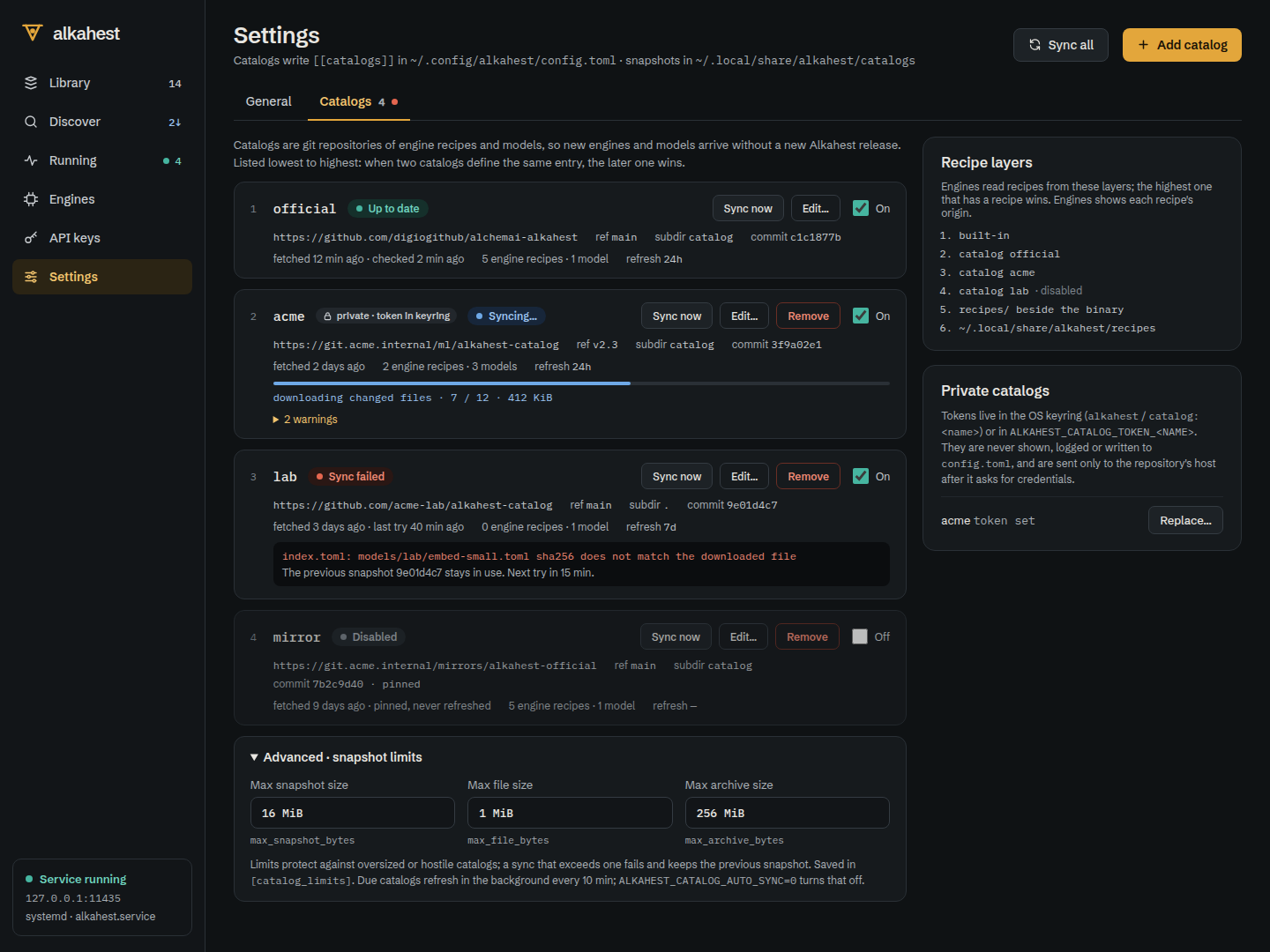
Curated lists of models and engine recipes read straight from git repositories.
Each model is recognised by what it does, and routed to the API that fits it.
Engines run as supervised subprocesses. Alkahest chooses one from the model format, downloads a prebuilt release or compiles it for your CPU from a recipe, and restarts it if it crashes.
Every GGUF model: chat, vision with its projector, embeddings and reranking. A CPU build ships in every package; GPU builds install with one command.
Ternary Bonsai models in the PQ2_0 and PTQ1_0 formats, picked automatically.
Safetensors models on Linux with NVIDIA, and on Apple Silicon where supported.
Speech to text behind /v1/audio/transcriptions.
Image generation behind /v1/images/generations.
alkahest engines install llama-cpp --native
Point any Ollama, OpenAI or Anthropic client at http://127.0.0.1:11435. Port 11435 is one above Ollama's, so both can run side by side.
POST/api/chat · /api/generate
POST/api/embed · /api/pull
GET/api/tags · /api/ps · /api/versionPOST/chat/completions · /responses
POST/embeddings · /rerank
POST/audio · /images
GET/modelsPOST/messages · /messages/count_tokensPOST/decisions · /systemonefrom openai import OpenAI client = OpenAI(base_url="http://127.0.0.1:11435/v1", api_key="unused-on-loopback") reply = client.chat.completions.create( model="qwen3:8b", messages=[{"role": "user", "content": "Why is the sky blue?"}], ) print(reply.choices[0].message.content)
curl http://127.0.0.1:11435/api/chat -d '{
  "model": "qwen3:8b",
  "messages": [{"role": "user", "content": "Hello"}]
}'

# any Ollama client: set OLLAMA_HOST=127.0.0.1:11435
import anthropic

c = anthropic.Anthropic(base_url="http://127.0.0.1:11435", api_key="alk_...")
m = c.messages.create(
    model="qwen3:8b", max_tokens=200,
    messages=[{"role": "user", "content": "Hello"}],
)
# deterministic answers with probabilities, scored from logits
curl http://127.0.0.1:11435/v1/decisions -d '{
  "model": "tev1:0.8b",
  "input": "I was charged twice for my order.",
  "questions": [
    {"type": "choice", "name": "route",
     "choices": [{"value": "billing"}, {"value": "shipping"}, {"value": "technical"}]},
    {"type": "predicate", "instructions": "Is the customer angry?"}
  ]}'
alkahest pull qwen3:8b                         # Ollama registry
alkahest pull hf.co/ggml-org/tiny-llamas:Q4_0  # Hugging Face
alkahest pull alkahest/qwen/qwen2.5-0.5b-instruct  # git catalog
alkahest import ~/models/qwen2-vl/ --link      # a folder, in place
alkahest serve                                 # 127.0.0.1:11435
alkahest ps                                    # what is loaded
alkahest keys create laptop --expires 30d      # share it
Written in Rust. Budgets for size and start-up time are enforced by CI, and every release is built and tested on Linux, macOS and Windows.
serve healthy in 500 msEngines speak HTTP in their own process. A crash never takes the server down; an orphan watchdog stops engines if the server dies.
Admission by memory estimate, eviction of idle models, per-model queues and parallel slots, keep-alive unload.
Blobs by SHA-256 digest, shared between models, garbage-collected. The Ollama store is read, never written.
CPU features, RAM, NVIDIA through NVML loaded at run time, AMD, Vulkan and Metal: the right build and the right split.
Recipes and model entries fetched over HTTPS, pinned to a commit, checked against an index of digests.
GPUI, GPU-accelerated, in the same binary. It talks to the server over HTTP like any other client.
Loopback stays frictionless. Everything else needs a key.
alkahest serve --host 0.0.0.0:11435
Every package includes a CPU build of llama.cpp, so it works out of the box. Free and open source under the MIT licence.
curl -fsSL https://raw.githubusercontent.com/digiogithub/alchemai-alkahest/main/scripts/setup/install.sh | bash
# detects your OS, CPU and GPU, installs the best engine build; --service runs it at login
irm https://raw.githubusercontent.com/digiogithub/alchemai-alkahest/main/scripts/setup/install.ps1 | iex
docker build -t alkahest .
docker run -d --name alkahest -p 11435:11435 \
  -e ALKAHEST_API_KEY="$(openssl rand -hex 32)" \
  -v alkahest:/var/lib/alkahest alkahest
git clone https://github.com/digiogithub/alchemai-alkahest && cd alchemai-alkahest
cargo build --release -p alkahest --no-default-features   # server and CLI
cargo build --release -p alkahest --features desktop      # with the desktop app
alkahest update moves to the newest release.Install guide →
Install it once and every local tool you use has a model server.
Download Alkahest